Until this time, Notepad++ is my favourite code editor since it’s free and another reasons. No, I’m not going to ask you to use Notepad++ if you’re not use it. But if you use Notepad++ for coding WordPress, I have something for you. Recently I created an autocomplete (not a plugin, just edit existing .xml) for Notepad++ that contains WordPress functions.
Here are some screenshots:
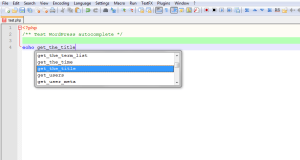
Displaying matching function as you type
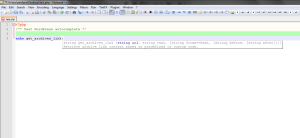
Displaying functions parameter, return type etc
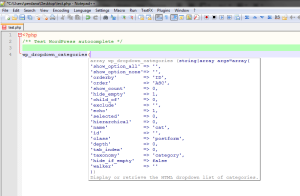
Displays function description and parameter arguments
How to install?
Copy php.xml to plugins\APIs under your Notepad++ installation directory, overwrite existing, backup first if necessary.
Note:
By default, Notepad++ doesn’t enabled autocomplete. You have to enable it through Settings -> Preferences. Go to Auto-completion tab, check on Enable autocompletion and Functions parameter hints. You don’t need to restart Notepad++.
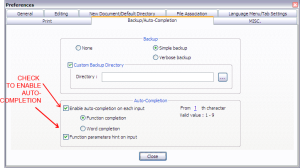
How to enable auto-complete on Notepad++
[information title=”Download it here”]
Download from GitHub
[/information]
This first version only contains about 151 WordPress functions and will be updated.
Komentar (8)
Arsip Statis